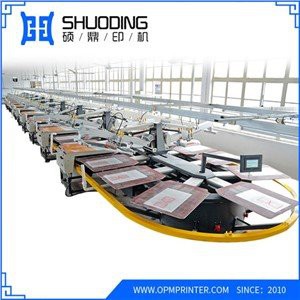
Hey there! As a supplier of Disc Ink Printing Machines, I often get asked about the difference in printing speed between color and black-and-white printing. It's a pretty common question, especially for those looking to invest in a new printing solution. So, let's dive into it and break down the factors that affect the printing speed of color and black-and-white prints on a Disc Ink Printing Machine.
Understanding the Basics
First off, let's talk about how a Disc Ink Printing Machine works. These machines use a special inkjet printing technology to transfer images onto various surfaces, including discs. The ink is sprayed onto the surface in tiny droplets, creating a high-quality print. The printing process involves several steps, including image processing, inkjet head movement, and drying.
Now, when it comes to color and black-and-white printing, the main difference lies in the number of ink colors used. Black-and-white printing only uses one color of ink (usually black), while color printing uses multiple colors (usually cyan, magenta, yellow, and black). This difference in the number of colors has a significant impact on the printing speed.
Factors Affecting Printing Speed
There are several factors that can affect the printing speed of color and black-and-white prints on a Disc Ink Printing Machine. Let's take a look at some of the most important ones:
1. Number of Ink Colors
As mentioned earlier, the number of ink colors used in the printing process is a major factor in determining the printing speed. Color printing requires the use of multiple ink colors, which means that the printing process takes longer. The inkjet head has to move back and forth multiple times to apply each color, which increases the overall printing time. On the other hand, black-and-white printing only requires one color of ink, so the printing process is much faster.


2. Image Complexity
The complexity of the image being printed also plays a role in the printing speed. Images with a lot of details and colors require more ink and more passes of the inkjet head, which slows down the printing process. Simple black-and-white images, on the other hand, require less ink and fewer passes of the inkjet head, so they can be printed much faster.
3. Printing Resolution
The printing resolution is another important factor that affects the printing speed. Higher resolution prints require more ink and more dots per inch (DPI), which means that the printing process takes longer. Lower resolution prints, on the other hand, require less ink and fewer DPI, so they can be printed much faster.
4. Ink Drying Time
The time it takes for the ink to dry also affects the printing speed. Color inks usually take longer to dry than black-and-white inks, which means that the printer has to wait for the ink to dry before it can start printing the next layer. This can slow down the printing process, especially for large prints.
Comparing Printing Speeds
So, how much faster is black-and-white printing compared to color printing on a Disc Ink Printing Machine? Well, it depends on several factors, including the ones mentioned above. In general, black-and-white printing can be up to three times faster than color printing. However, this can vary depending on the specific printer model and the printing settings.
Let's take a look at an example. Suppose you have a Disc Ink Printing Machine that can print at a maximum speed of 300 DPI. If you're printing a simple black-and-white image, you can expect to print at a speed of around 10 discs per minute. However, if you're printing a complex color image, you may only be able to print at a speed of around 3 discs per minute.
Choosing the Right Printing Mode
When it comes to choosing between color and black-and-white printing, it's important to consider your specific needs and requirements. If you're printing a lot of simple black-and-white documents or images, then black-and-white printing is probably the best option for you. It's faster, more cost-effective, and uses less ink.
On the other hand, if you're printing high-quality color images or documents, then color printing is the way to go. It offers better color accuracy and a more professional look, but it also takes longer and costs more.
Beyond the Basics: Other Printing Machines
If you're in the market for a printing solution, you might also be interested in some of our other products. We offer a range of printing machines, including the Full Servo Oval Printing Machine, the Automatic Oval Silk Screen Printing Machine For T Shirt, the Rotary Screen Textile Printing Machine, the Disc Digital Printing Machine, and the Automatic Alignment Piece Printing Machine. Each of these machines has its own unique features and benefits, so be sure to check them out if you're looking for a more specialized printing solution.
Conclusion and Call to Action
In conclusion, the printing speed difference between color and black-and-white printing on a Disc Ink Printing Machine can be significant. Black-and-white printing is generally faster, more cost-effective, and uses less ink, while color printing offers better color accuracy and a more professional look. When choosing between the two, it's important to consider your specific needs and requirements.
If you're interested in learning more about our Disc Ink Printing Machines or any of our other printing solutions, please don't hesitate to reach out. We're here to help you find the perfect printing solution for your business. Whether you're looking for a high-speed black-and-white printer or a high-quality color printer, we have the expertise and the products to meet your needs. So, let's start a conversation and see how we can help you take your printing to the next level.